 Folio
Folio
Lifetime
US$59 one payment
Every Folio 1.x release, forever, on three computers. No server to check in with.
Folio is a writing app for Windows and Linux that lives on your own computer, the way software used to. No account. No cloud. Nothing to keep paying for unless you want to.
Free for seven days. No card, nothing to enter. Not on macOS yet.
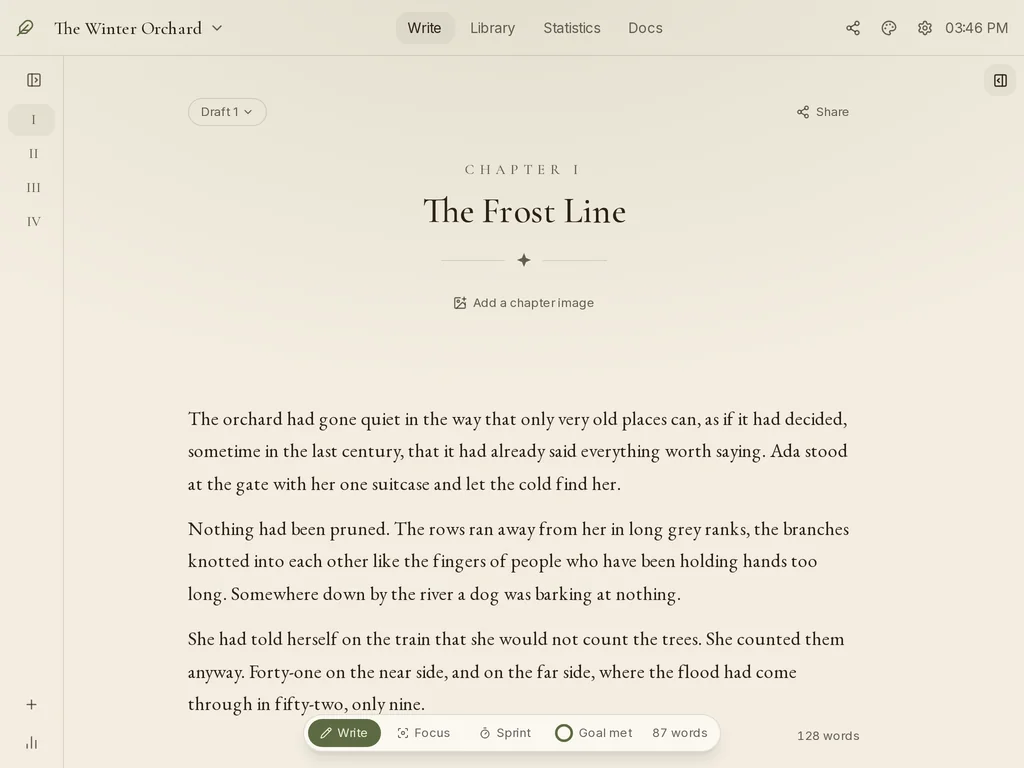
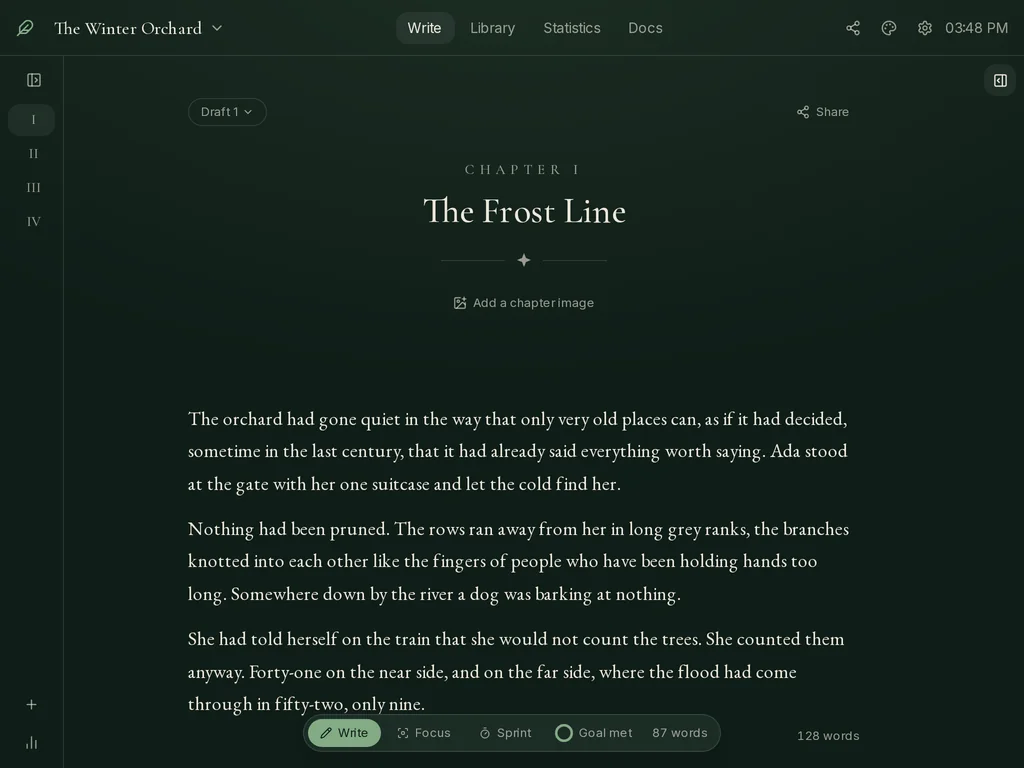
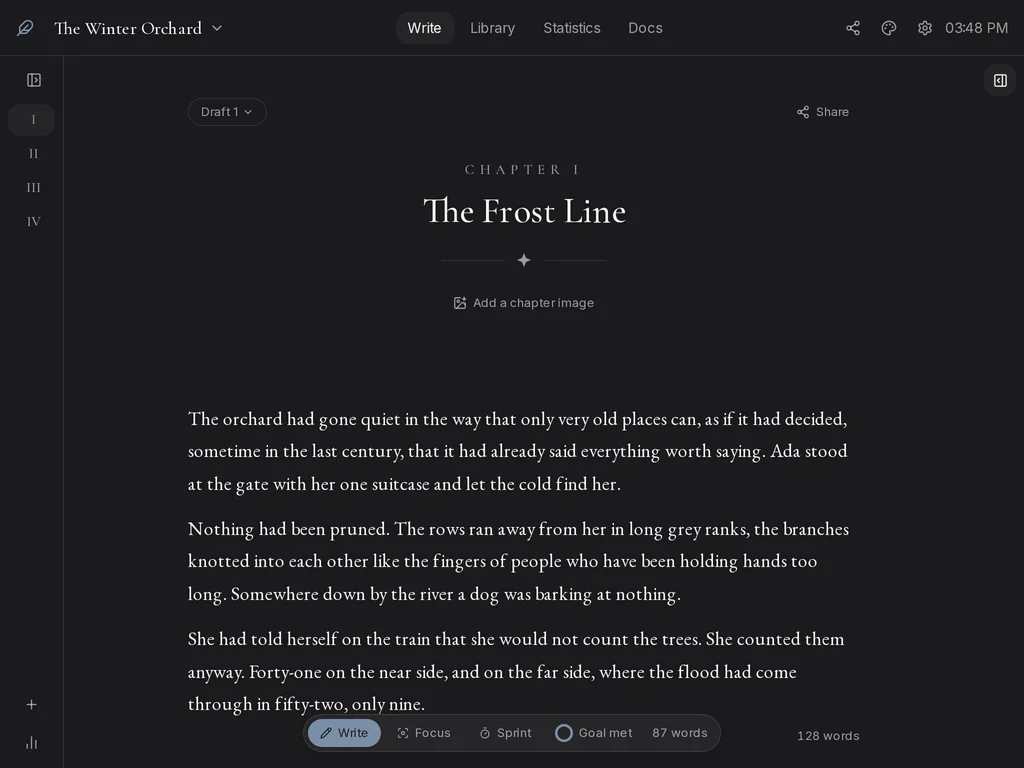

Windows and Linux. macOS later.
The idea
You opened it, you wrote, you closed it, and your words were on your own disk. Folio is that, plus the few things a novel needs and a word processor does not have: chapters, a place for your characters, a count of what you did today, and a door you can shut.
It is one program on one computer. It does not phone home, it does not need you to be online, and it keeps working after you buy it.
The page

The text is Garamond at a book's measure. Chapters have Roman numerals. A scene break is a small star between two hairlines. The rail holds whatever the scene needs: the characters it mentions, your notes, a dictionary.
Fold the sidebar with Ctrl B. Fold everything with Ctrl Shift F.

Focus mode hides both sides and dims every scene but the one you are in. Start a sprint of five to twenty-five minutes and the bar counts down while it counts your words. Every draft is kept, so you can try a scene two ways and pick.
The library

One card per person, place, thing or event, with a summary, a picture if you like, and links to the others. While you write, Folio notices which cards the scene mentions and keeps them at hand. Nothing to tag, nothing to file.

The map draws the whole cast from the links you made. Who is whose daughter, what was found where, which letter went to which town. It is there for the moment you lose the thread.
The count

Set a daily goal and Folio shows a small ring in the bar until you have met it. The last year sits on one page, one square a day. The numbers are yours and go nowhere else.
The room
Paper for daytime. Three darker ones for the evening. Pick one here and this page follows.
The rest
There is nothing to sign up for and nothing to sign in to. You install it and it opens.
Your book is one file in a folder you can open. Back it up the way you back up anything else.
Folio never reports what you write, how long you write, or that you opened it.
Export to Word, EPUB, PDF, Markdown or plain text at any time, during the trial and after. Import from Word, Scrivener, Markdown and plain text.
It is off when you install Folio, and with it off no AI feature appears anywhere. If you turn it on, you point it at a server you choose, including one on your own machine.
The price
US$59 one payment
Every Folio 1.x release, forever, on three computers. No server to check in with.
US$4.99 a month
Every version, including major ones, for as long as you keep it. Cancel any time.
Or try it free for seven days first. Refunds within 14 days, no questions asked. Every detail, and the questions people ask.
The download is small, the install is quick, and your first chapter is already waiting.
Windows shows a blue warning the first time. Here is why, and the two clicks past it.